閱: 1225 | 回: 2

發(fā)表于2025/8/3 16:20:09
樓主

 等級:初學(xué)者
-
 積分:2
積分:2
-
 財富值:2.00
-
 身份:普通用戶
' 類模塊: clsEventClassModule
Option Explicit
Private WithEvents App As Application
Private Sub Class_Initialize()
Set App = Application
End Sub
Private Sub App_SheetSelectionChange(ByVal Sh As Object, ByVal Target As Range)
If TypeOf Sh Is Worksheet Then
Call HighlightActiveCellRowAndColumn(Sh, Target)
End If
End Sub
' 標準模塊
Option Explicit
Public EventClassModule As New clsEventClassModule
Sub Auto_Open()
Set EventClassModule.App = Application
End Sub
Sub Auto_Close()
Set EventClassModule = Nothing
End Sub
Public Sub HighlightActiveCellRowAndColumn(ws As Worksheet, Target As Range)
On Error GoTo l_err
' 清除之前的高亮顯示
ws.Cells.Interior.ColorIndex = xlNone
' 設(shè)置行范圍并高亮顯示
With ws.Rows(Target.Row)
.Interior.Color = RGB(255, 255, 0) ' 黃色
End With
' 設(shè)置列范圍并高亮顯示
With ws.Columns(Target.Column)
.Interior.Color = RGB(255, 255, 0) ' 黃色
End With
Exit Sub
l_err:
MsgBox "發(fā)生錯誤:" & Err.Description, vbCritical
End Sub
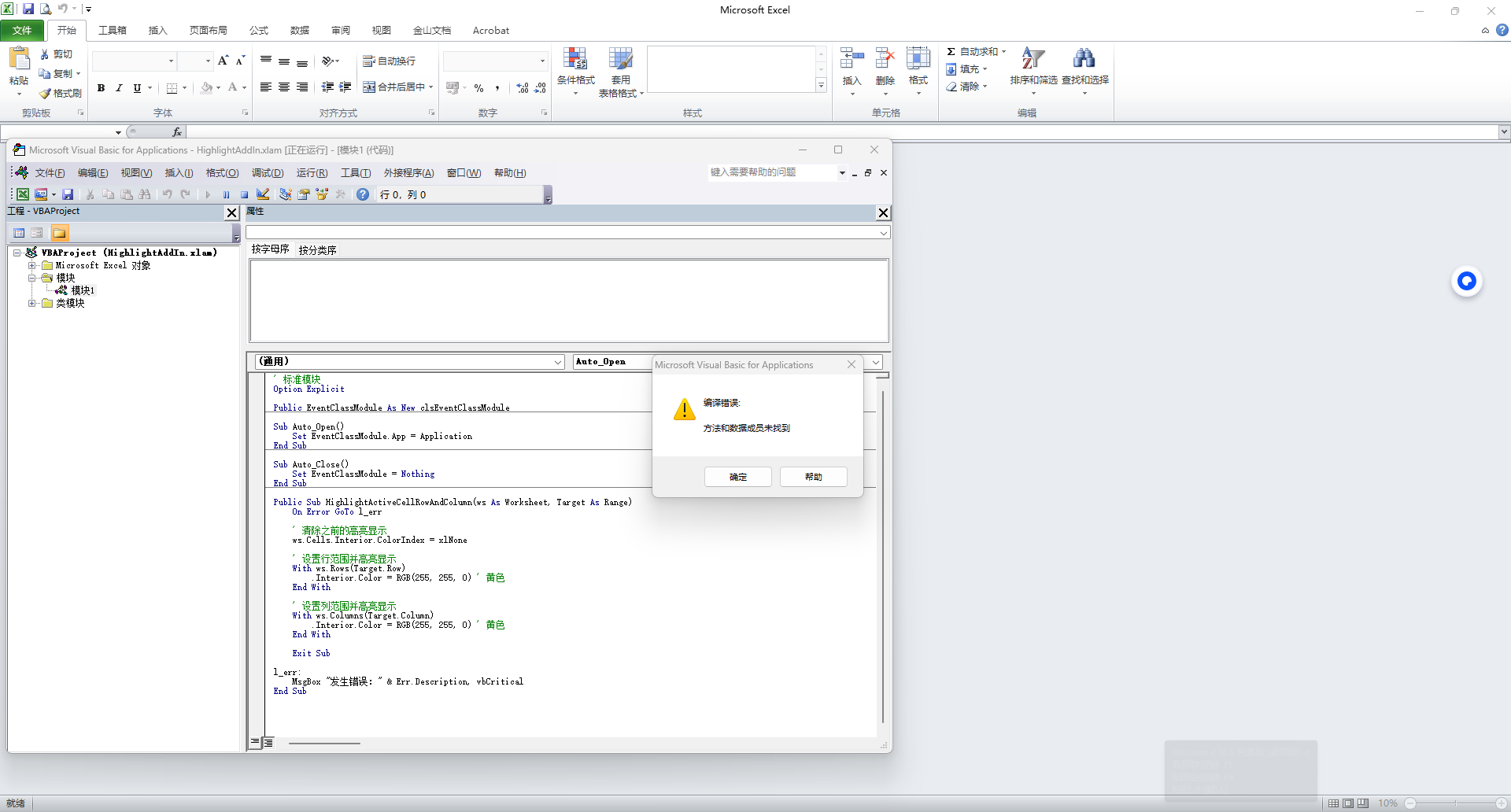
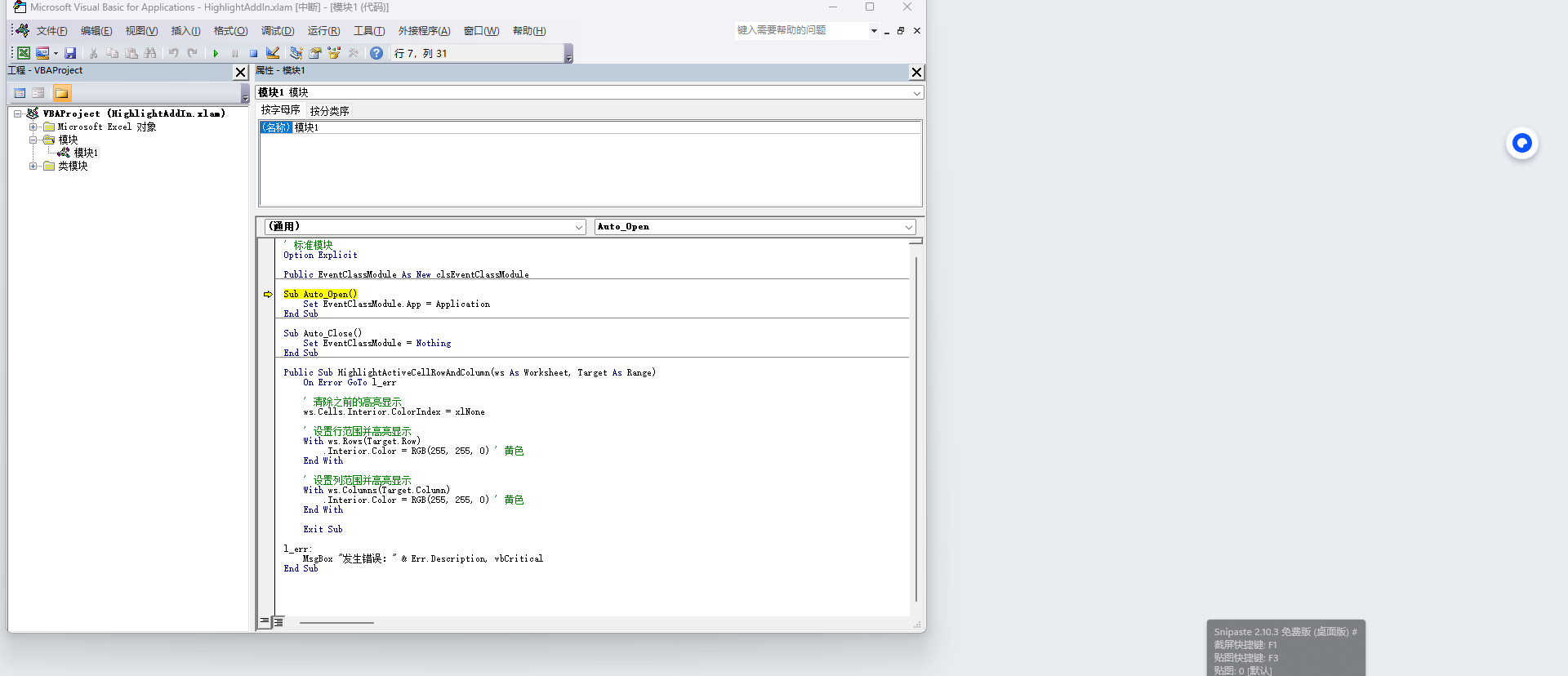
Option Explicit
Private WithEvents App As Application
Private Sub Class_Initialize()
Set App = Application
End Sub
Private Sub App_SheetSelectionChange(ByVal Sh As Object, ByVal Target As Range)
If TypeOf Sh Is Worksheet Then
Call HighlightActiveCellRowAndColumn(Sh, Target)
End If
End Sub
' 標準模塊
Option Explicit
Public EventClassModule As New clsEventClassModule
Sub Auto_Open()
Set EventClassModule.App = Application
End Sub
Sub Auto_Close()
Set EventClassModule = Nothing
End Sub
Public Sub HighlightActiveCellRowAndColumn(ws As Worksheet, Target As Range)
On Error GoTo l_err
' 清除之前的高亮顯示
ws.Cells.Interior.ColorIndex = xlNone
' 設(shè)置行范圍并高亮顯示
With ws.Rows(Target.Row)
.Interior.Color = RGB(255, 255, 0) ' 黃色
End With
' 設(shè)置列范圍并高亮顯示
With ws.Columns(Target.Column)
.Interior.Color = RGB(255, 255, 0) ' 黃色
End With
Exit Sub
l_err:
MsgBox "發(fā)生錯誤:" & Err.Description, vbCritical
End Sub
我的個性簽名
 等級:大師
等級:大師